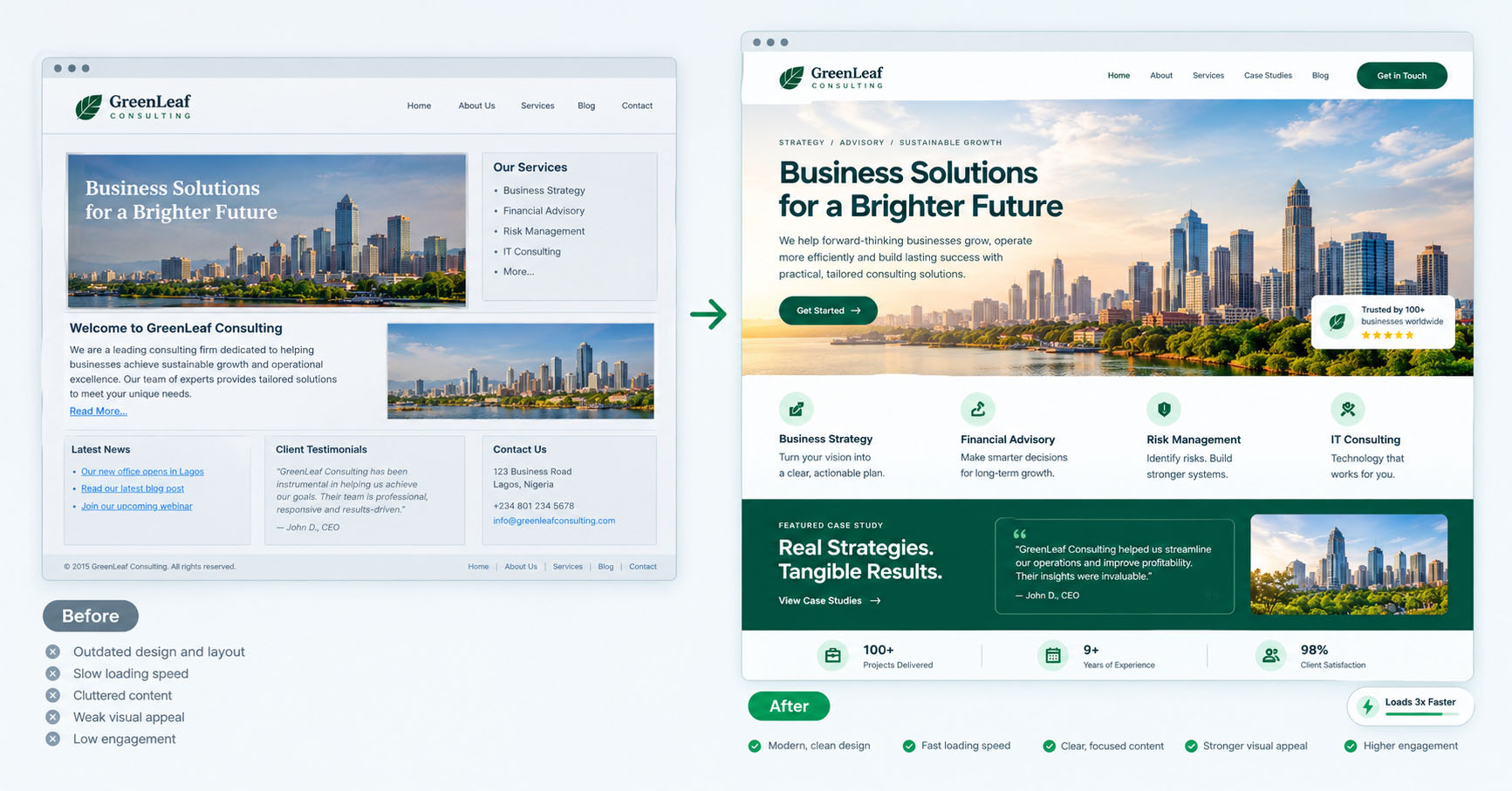

A website redesign is the process of significantly updating your site’s design, structure, or technology, and the most important decision in it isn’t visual; it’s strategic: whether you need a light refresh or a full rebuild, and how to make the change without losing the search rankings and traffic you’ve already earned. Done well, a redesign lifts performance and perception. Done carelessly, it can tank your rankings overnight and undo years of progress.
This guide covers the signs that you’re due for a redesign, how to choose between a refresh and a rebuild, the steps to do it right, and the SEO mistakes that turn a redesign into a disaster.
Signs you need a website redesign
Not every site that feels “old” needs a redesign, and not every site that looks fine is actually performing. Look for evidence, not just instinct:
- It’s not converting. Traffic comes, but few people act. If the anatomy of conversion is missing, a redesign can unlock real revenue.
- It’s slow. Poor Core Web Vitals that can’t be fixed with maintenance alone often point to a build that needs rethinking.
- It’s not mobile-friendly. If the mobile experience is awkward, you’re losing most of your visitors, since most arrive on phones.
- It looks dated next to competitors. Perception matters; a site that looks years behind its market quietly costs credibility.
- It’s hard to update. If adding a page or editing content is painful, the platform is working against you.
- The business has changed. New services, a new audience, or a new positioning that the current site no longer reflects.
- The brand has evolved. A refreshed brand identity that the website hasn’t caught up with creates inconsistency.
One or two of these might be fixable without a full redesign. Several together usually mean it’s time.
Refresh or rebuild? How to decide
This is the core decision, and choosing wrong wastes money in either direction.
A refresh updates the look and some content while keeping the underlying structure and platform. Choose a refresh when: – The site works and performs reasonably well but looks dated. – The structure and technology are sound. – You mainly need visual modernisation and content updates. – Budget and time are limited, and the foundations are fine.
A rebuild recreates the site, often on new technology, with a new structure. Choose a rebuild when: – The site is slow, broken, or hard to maintain at a fundamental level. – The structure no longer fits the business. – The platform is limiting you. – Conversion problems are structural, not cosmetic.
A useful test: if the problems are skin-deep, refresh. If they’re in the bones- performance, structure, platform- rebuild. Spending heavily to rebuild a fundamentally sound site is waste; refreshing a fundamentally broken one is lipstick on a problem.
How to do a website redesign right
- Start with goals, not aesthetics. Define what the redesign must achieve: more conversions, faster load, easier updates. Aesthetics serve goals; they aren’t the goal.
- Audit the current site. Identify what’s working (and must be preserved), what’s broken, and which pages drive traffic and conversions. You can’t improve what you haven’t measured.
- Protect your top-performing pages. Know which pages rank and convert before you touch anything, so you don’t accidentally destroy your best assets.
- Plan the structure first. Information architecture before visual design. A clear structure is what makes a site usable and findable.
- Design and build with conversion and speed in mind. Apply the principles of a high-converting website and keep performance front of mind from the start.
- Map redirects carefully. This is the step that makes or breaks your SEO (see below).
- Test before launch. Check every page, form, and link across devices. Launch day is the worst time to discover a broken form.
- Monitor after launch. Watch rankings, traffic, and conversions closely for the first weeks and fix any drops quickly.
The SEO mistakes that wreck redesigns
A redesign is one of the most common ways businesses accidentally destroy their search traffic. The big risks:
- Changing URLs without redirects. If pages move to new URLs and you don’t redirect the old ones, you lose the rankings and traffic attached to them, and visitors hit dead ends. Every changed URL needs a proper 301 redirect to its new equivalent.
- Dropping content that ranks. Removing pages or cutting content that brings in traffic, without realising it was performing. Audit first.
- Losing internal links and structure that were passing authority between pages.
- Launching with broken technical SEO, missing sitemaps, blocked pages, lost metadata.
- Forgetting to test on mobile, where most traffic and crawling happens.
The throughline: a redesign should carry forward the equity you’ve built, not reset it. Preserve what works, improve what doesn’t, and redirect everything that moves.
Frequently asked questions
How do I know if I need a website redesign?
Look for evidence: poor conversion, slow speed that maintenance can’t fix, a weak mobile experience, a dated look versus competitors, difficulty updating the site, or a business or brand that has outgrown the current site. Several of these together usually mean it’s time.
Should I refresh or fully rebuild my website?
Refresh when the problems are cosmetic, and the structure, platform, and performance are sound. Rebuild when the problems are fundamental, slow, broken, hard to maintain, or structurally unfit. If the issues are in the bones, rebuild; if they’re skin-deep, refresh.
Will a redesign hurt my SEO?
It can if done carelessly, especially by changing URLs without redirects or dropping pages that rank. Done properly, with an audit of top-performing pages, careful 301 redirects, and preserved structure, a redesign protects your rankings and often improves them.
How do I redesign without losing my search rankings?
Audit which pages rank and convert before you start, preserve that content, map a 301 redirect for every URL that changes, keep your internal linking and technical SEO intact, and monitor rankings closely after launch so you can fix any issues quickly.
A redesign should move your business forward, not reset your search traffic. Explore our web design and development service to redesign your site the right way- faster, better-converting, and with your rankings protected.