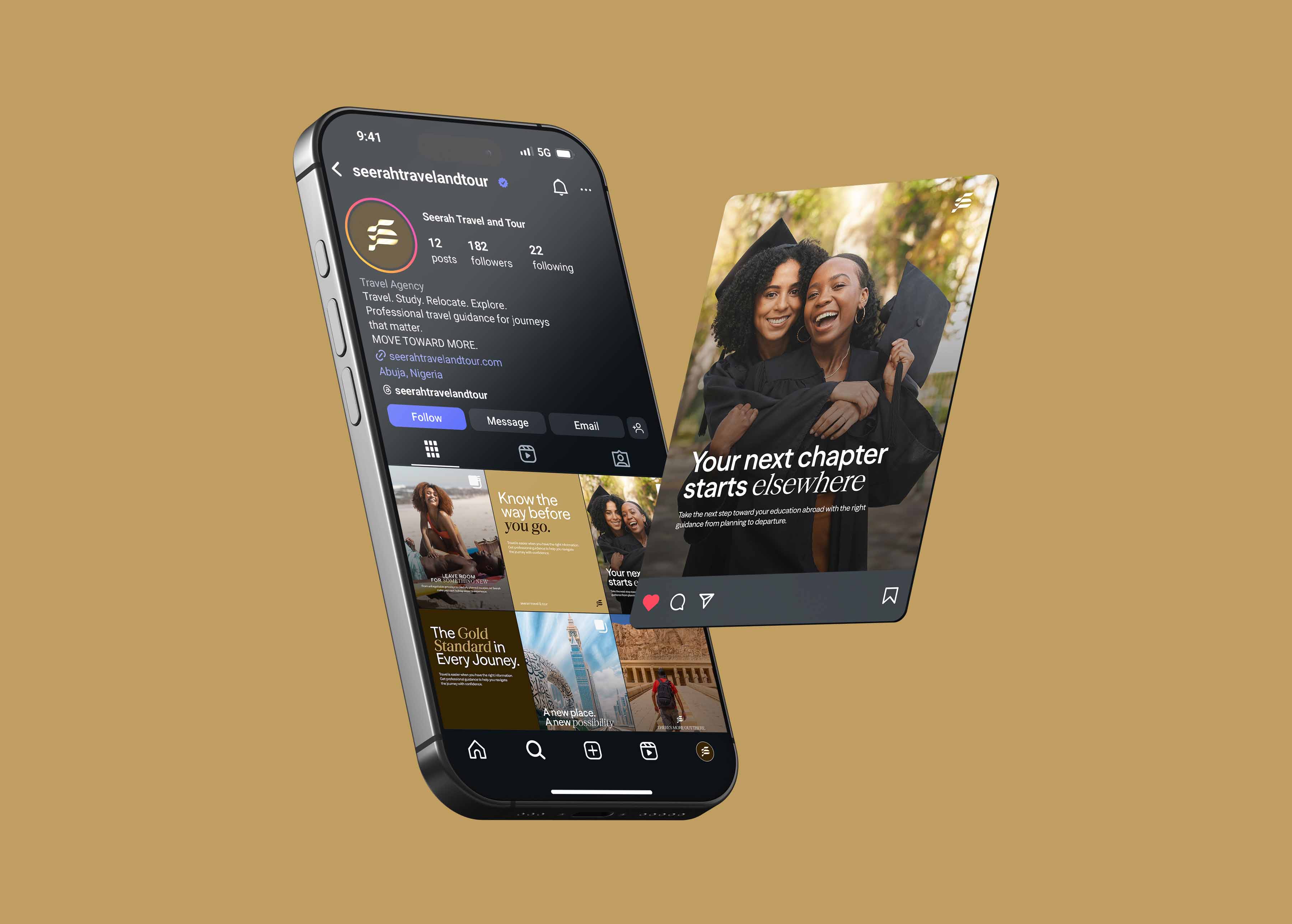

Social media templates are reusable, pre-designed post and story layouts that let anyone on your team create on-brand content quickly by dropping in new text and images rather than designing from scratch each time. Done well, they’re the engine of consistent social media branding: they make staying on-brand the easy, default option instead of a constant effort.
The catch is that templates are only valuable if people actually use them. A beautiful template that’s too rigid or too complicated gets abandoned, and the team goes back to improvising. This guide covers how to design social media templates that are both genuinely on-brand and genuinely usable.
Why Social media templates matter
Consistency on social is hard to sustain through willpower. Asking a busy team to design every post carefully, every time, in the right style, is a plan that fails the first busy week. Templates change the economics: once the system exists, producing an on-brand post takes minutes, and consistency becomes the path of least resistance.
The benefits stack up:
- Consistency without constant effort. The brand stays coherent because the system enforces it.
- Speed. Content goes from idea to published faster.
- Independence from a designer. Non-designers can produce professional content without a bottleneck.
- Scalability. As posting volume grows, templates keep quality from dropping.
What makes a template actually usable
This is where most template systems succeed or fail. A usable template balances two things that pull against each other: brand control and ease of editing.
1. Built-in tools your team uses
A template is useless if it lives in software your team can’t open. Build social media templates in accessible tools, the ones your marketers and founders actually have and know, so editing doesn’t require a designer or specialist software. Practicality beats sophistication here.
2. Easy to edit, hard to break
The best social media templates let people change what they should (text, images) while protecting what they shouldn’t (logo placement, colours, core layout). When the brand-critical elements are locked or clearly fixed, people can move fast without accidentally breaking the brand.
3. Flexible enough for real content
Real posts have varying text lengths, different image shapes, and different purposes. A template that only works with one exact amount of text gets abandoned the first time reality doesn’t fit. Design social media templates that flex gracefully; they should handle a short headline and a long one, a square image and a portrait one.
4. A set, not a single template
You need templates for your common post types: a quote post, a tip, an announcement, a testimonial, a story, not one layout forced onto everything. A small, well-chosen set covers most needs while keeping variety.
5. Clearly on-brand
Every template should carry the brand’s colours, fonts, and graphic style, so anything produced from it is recognisably yours. The template system should be an extension of your social media style guide.
How to design a template system
- Audit your content types. List the kinds of posts you publish regularly. These define the templates you need.
- Design the core set. Create a template for each common type, built on your brand’s visual system, with room to flex.
- Lock the brand, free the content. Make brand elements fixed and content elements easy to edit.
- Build in the right tool. Use software your team can access and operate without help.
- Document how to use them. A short note on which template is for what, and the do’s and don’ts, prevents misuse.
- Test with a real user. Have a non-designer on your team make a post with the templates. Where they get stuck is where the system needs fixing.
Common Social media template mistakes
- Too rigid. Templates that only work with exact content get abandoned.
- Too complex. If editing requires design skill, non-designers won’t use them.
- Wrong tool. Templates in software the team can’t access are dead on arrival.
- No guidance. Without notes on which template is for what, people misuse or ignore them.
- Set and forgotten. Templates should evolve as the brand and content needs change.
The thread running through all of these: usability is a design requirement, not an afterthought. A template’s job is to be used.
Frequently asked questions
What are social media templates?
They’re reusable, pre-designed post and story layouts that let anyone create on-brand content by dropping in new text and images, rather than designing each post from scratch. They keep a brand consistent while making content fast to produce.
How do I make social media templates my team will actually use?
Build them in tools your team can access, make them easy to edit but hard to break (lock brand elements, free content elements), design them to flex with real content lengths and image shapes, provide a set for your common post types, and document how to use them.
What tools should I build social media templates in?
Whatever your team can actually open and operate, typically accessible design tools rather than specialist software. The most sophisticated template is worthless if the people who need it can’t use it, so prioritise accessibility.
How many templates do I need?
Enough to cover your common post types, usually a small set such as a quote, a tip, an announcement, a testimonial, and a story format. A focused set keeps variety while staying manageable; you don’t need a unique template for every post.